Group Home Software: Manage Compliance, Staff, and Care From One Place
If you’re managing a group home with binders, spreadsheets, and staff files scattered across different systems, you’re not alone. The right group home software can help bring care records and day-to-day operations into one organized view, while making it easier to find documentation when an auditor asks for it.
At GHB Consulting, we built EMSTracks and HRTracks to address these practical challenges. EMSTracks supports care and operational records; HRTracks focuses on employee credentialing and compliance. Together, they give providers tools for seeing more of their organization in one place, without promising that software alone can guarantee an audit outcome.
Key takeaways
Audits and inspections depend on complete, accessible records, not just written policies.
Group home management software should help organize care documentation, incidents, medications, facilities, and reporting.
Staff credentials, training, and background-check records need their own reliable tracking process.
EMSTracks and HRTracks are products built by GHB Consulting for residential care and human services providers.
Software can support compliance, but your organization remains responsible for meeting its state, payer, and accreditation requirements.
Why group home software matters when audit time comes
State inspections, CARF surveys, and payer audits may focus on different standards, but a common request is simple: show the documentation. Reviewers may need to see that services were delivered, staff were qualified, incidents were followed up, and required records were maintained.
When documentation lives in different places, even a well-run home can struggle to produce a complete record. A missing shift note, an incomplete employee file, an incident report without documented follow-up, or a gap in a medication log can raise questions that take time to resolve.
Paper systems can fail quietly. A form may be filed in the wrong binder, a training certificate may expire without anyone noticing, or a corrective action may not have a clear owner. Group home compliance software helps organize these records and workflows so they’re easier to locate, review, and maintain.
Software is not a substitute for good procedures or staff accountability. It can, however, help make a record gap more visible before an auditor finds it.
What a “single source of truth” actually means
A single source of truth means your team can find the right information without searching across multiple binders, shared drives, spreadsheets, and email threads. Depending on the system and your setup, records may include:
Client profiles, assessments, and Individual Service Plans (ISPs)
Shift logs, DAP notes, and monthly progress reports
Medication schedules and administration records
Incident reports, follow-up, and corrective actions
Staff credentials, training, and background-check documents
Facility inspections and other operational records
Census and invoicing information
For an organization with multiple homes, the value is not just digitizing paper. It’s being able to see what is happening across locations, identify overdue items, and generate reports without visiting each site to hunt through files.

A useful system should also let you control access based on staff roles and responsibilities. Ask a vendor how users are assigned permissions, how records are updated, and how you can access or export your organization’s information.
What to look for in group home management software
When comparing residential care software, focus on whether it supports the work your organization actually does. A feature list is only useful if staff can use the tools consistently and administrators can review the resulting records.
Care and service documentation
Look for tools to organize client information, service plans, assessments, shift notes, and progress reports. These records should help your team track services and goals over time, rather than leaving staff to recreate a timeline from scattered notes.
Incident tracking and follow-up
Incident software should help staff document what happened and give supervisors a way to track required next steps. Depending on your policies, that may include review, notifications, investigation, corrective actions, and closure. Your organization must still determine which incidents are reportable and follow applicable reporting rules.
Medication records
If your program tracks medication schedules and logs, consider whether the system makes records easy to review and helps staff follow your established procedures. Confirm that the workflows fit your service model and state requirements; software does not replace medication training or required clinical oversight.
Staff credential and training tracking
Staff files should be organized and reviewable. Look for a way to collect documents, monitor completion against your organization’s requirements, and identify items that need attention, such as training records or credentials approaching expiration.
Facility checks, census, and reports
A group home audit checklist software feature can help organize routine inspections and document issues that need correction. Census and invoicing tools can also bring operational information into the same working environment. Multi-location reporting matters if you need to compare activity across homes or oversee several programs.
How EMSTracks supports care and operations
EMSTracks is our care-side platform for residential and group home providers. It was built by the team behind Group Home Biz, drawing on years of work with human services organizations. The platform is built around CARF accreditation standards and updated annually.
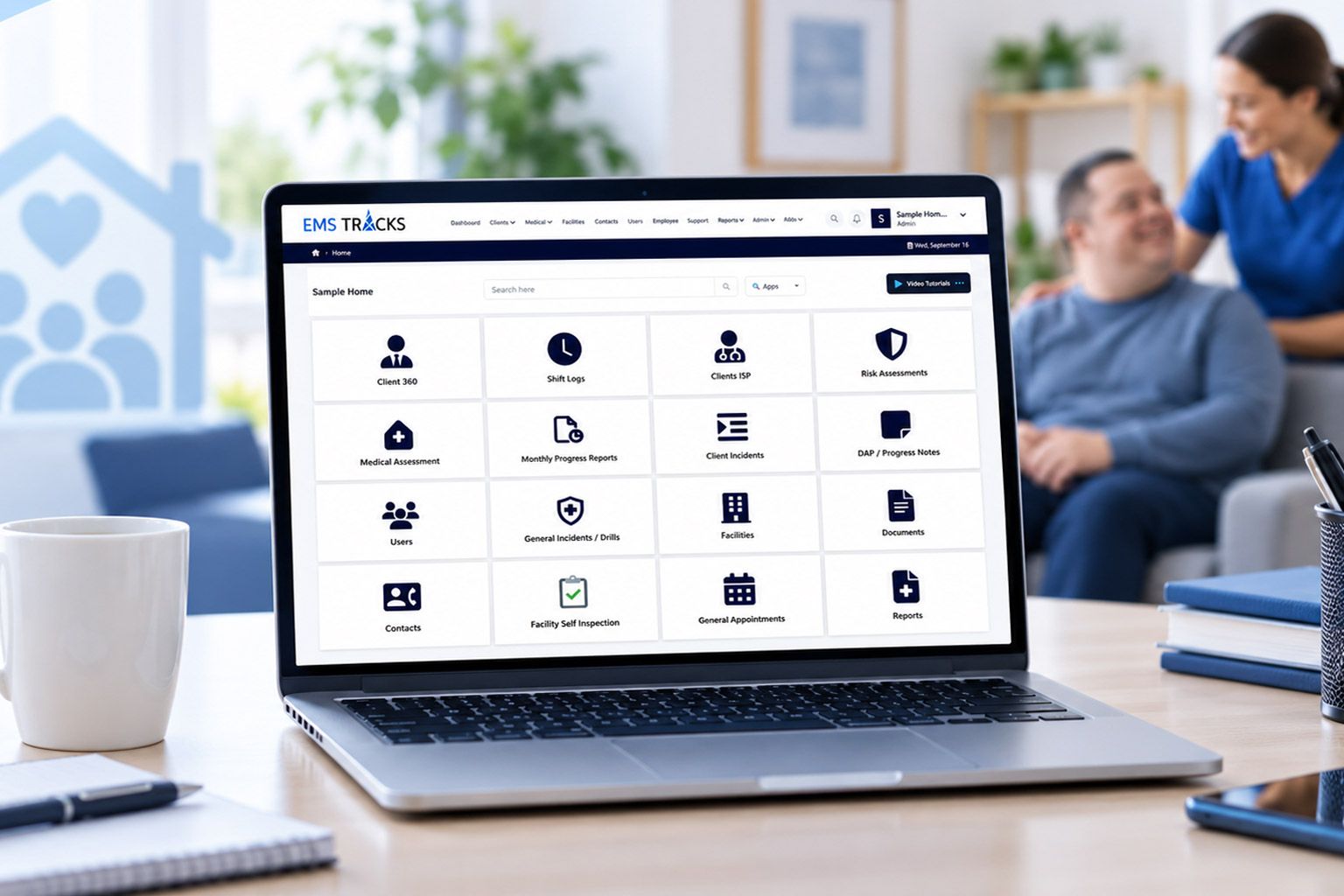
EMSTracks includes tools for Client 360 profiles, ISPs, DAP and progress notes, shift logs, medical and risk assessments, monthly progress reports, client and general incident tracking, emergency drills, facility self-inspections, centralized documents, appointments, medication scheduling and logging, and invoicing and census reporting.
For a single home or a multi-site organization, its portal-based interface includes search, a customizable dashboard, and real-time reporting. The purpose is to help providers bring care, compliance, and operations records into a more organized view.
A note on availability: EMSTracks is currently in beta/early production, with organizations using it. If you’re considering it, ask for a walkthrough and confirm that its current features fit your workflows and requirements.
How HRTracks supports staff compliance
Care records are only part of audit readiness. An organization also needs to maintain complete and current employee files.
HRTracks is our cloud-based employee compliance platform for health and human services. It supports online applications, document requests through notifications, a secure employee document repository, ad hoc employee reports, and visibility into employee eligibility against your organization’s compliance requirements.

Providers can also ask about optional outsourced support, including training records, attestations, background checks, onboarding-as-a-service, and employee folder, credential, and background-check audits.
In practical terms, EMSTracks focuses on care and operational documentation, while HRTracks focuses on employee files and workforce compliance. They are separate products from the same GHB Consulting team, designed to support different parts of provider operations.
How software can support audit readiness
When an inspection or survey is approaching, organized records can make it easier to respond to requests and see where follow-up is needed. Depending on your workflows, that may mean locating a client’s recent progress notes, reviewing incident records and corrective actions, checking medication logs, or identifying missing employee documents.
A helpful system can also support routine internal reviews. For example, a supervisor may use reports to check whether shift documentation is current or whether a facility self-inspection has open corrective actions. Finding an issue early gives your team a chance to investigate and address it through your normal procedures.
No software can guarantee that you will pass an audit, survey, or inspection. Requirements vary by state, population served, service model, property type, and funding source. Your organization remains responsible for confirming applicable requirements, training staff, and keeping accurate records. If you are preparing for accreditation, see our guide to CARF accreditation. If you are planning a new program, review our group home licensing guide.
Frequently asked questions
What software do group homes use?
Group homes use a range of tools for care documentation, medication records, incidents, staffing, employee credentials, facility checks, and billing. The right group home management software depends on your services, locations, workforce, and compliance requirements.
How does software help with group home audits?
Software can organize records, make them searchable, and help supervisors track missing documentation or follow-up tasks. It can make it easier to gather records for review, but it does not guarantee a successful audit or replace your responsibility to meet applicable requirements.
Can software manage multiple group home locations?
Some group home software supports multiple facilities and organization-wide reporting. Before selecting a system, confirm how it separates site-level information, controls staff access, and lets administrators review activity across locations.
What is EMSTracks?
EMSTracks is GHB Consulting’s software for residential and group home providers. It includes tools for client records, service documentation, incidents, medications, facility inspections, census, invoicing, and reporting. It is currently in beta/early production, with organizations using it.
What is HRTracks?
HRTracks is GHB Consulting’s cloud-based employee compliance software for health and human services organizations. It helps providers collect and organize employee applications and documents, review eligibility against company requirements, and manage credentialing and onboarding workflows.
See how the tools could fit your organization
If your team is spending too much time chasing binders and spreadsheets, start by listing the records you need to maintain, who is responsible for each one, and what you need to find quickly during an audit. Then compare software against those actual workflows.
Visit EMSTracks and HRTracks to learn more, or schedule a software overview with GHB Consulting. We can discuss your current systems, the requirements that apply to your state and program, and whether these tools are a practical fit.
